LinkedIn Profile Optimization for Remote Job Search

Far Coder Team
Wed Jul 08 2026
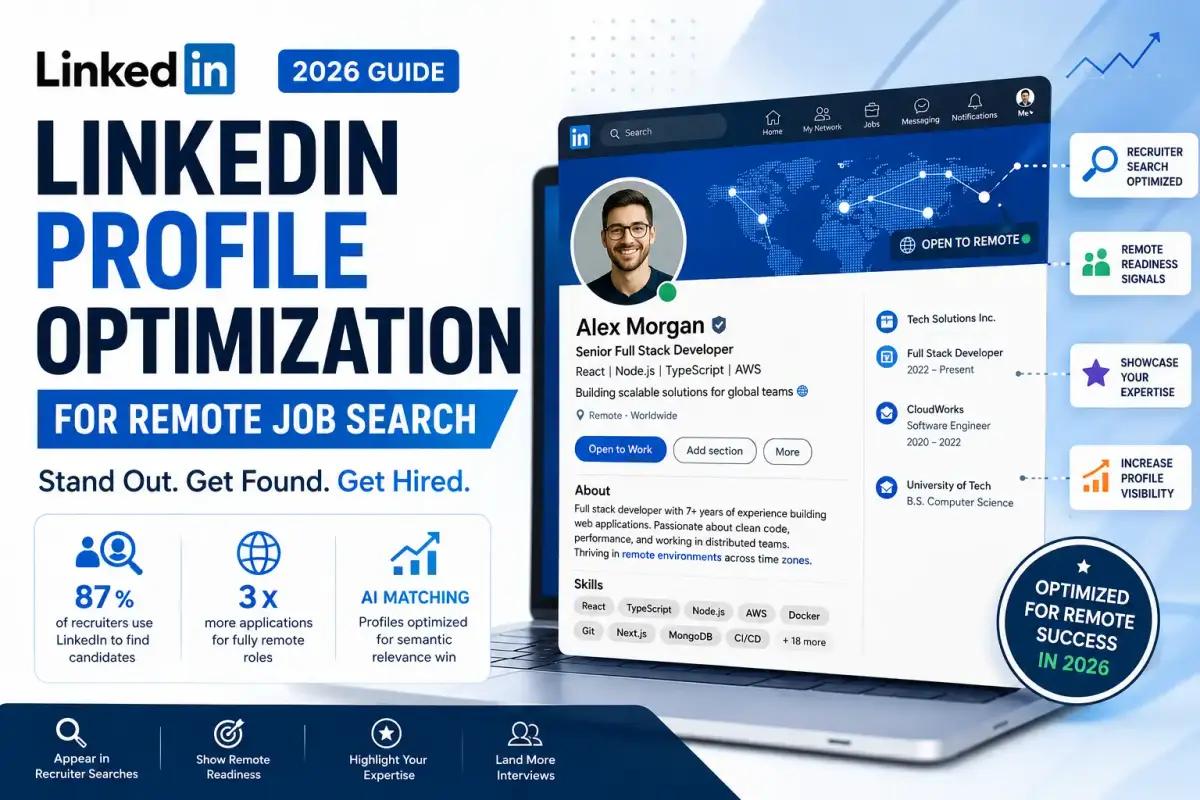
LinkedIn has over 1.15 billion members in 2026, 87 percent of recruiters actively use it to source candidates, and fully remote job postings receive exponentially more applications than on-site roles, which means the competition for remote tech positions starts before you ever submit a single application. A basic LinkedIn profile will not land you a remote tech role. A strategically optimised one that appears in recruiter searches, communicates remote readiness explicitly, and signals your specialisation with enough depth to pass LinkedIn's AI-powered matching engine is an entirely different asset. This guide covers every section of your LinkedIn profile, exactly how to optimise each one for remote tech hiring in 2026, and what both job seekers and employers need to know about how the platform's algorithm now works.
Why LinkedIn Optimisation for Remote Jobs Is Different in 2026
Remote job seekers face a dual screening problem on LinkedIn that office-based applicants do not: they must appear in recruiter searches for their technical specialisation AND signal remote readiness clearly, because a profile that is strong on technical keywords but silent on distributed work capability is eliminated from remote hiring consideration before any human ever sees it.
The scale of competition for remote roles in 2026 makes this even more significant. Fully remote postings receive exponentially more applications than equivalent on-site roles, with remote positions now receiving application volumes three times higher than office-based equivalents. With recruiter AI tools now reviewing 81 percent fewer profiles to produce a shortlist, the bar to simply appear in front of a human reviewer has risen dramatically. A profile that is complete but quiet, no recent activity, no skill endorsements, no content, loses to an optimised active profile at the algorithm stage before a recruiter ever makes a judgment call.
LinkedIn's AI matching engine now ranks candidates by semantic relevance, not just keyword matches, which means the old approach of keyword-stuffing your target job title repeatedly is not only ineffective but counterproductive. The engine reads the semantic neighbourhood of a role, if you list "Python" but never "Pandas" or "NumPy," it reads as shallow. Cover the related skills, tools, and contexts of your specialisation rather than repeating one phrase.
For remote tech professionals, the practical implication is this: your LinkedIn profile needs to signal technical depth across the full semantic neighbourhood of your role, and it needs to signal remote readiness explicitly in your headline, your About section, and your skills, because LinkedIn's algorithm and the recruiters who use it are both filtering for these signals simultaneously.
Section 1: Your Profile Photo and Banner
A professional profile photo increases your profile views by up to 21 times compared to no photo, according to LinkedIn's own data, making it the single highest-return addition available to a profile with no photo, requiring no special skill, and taking less than five minutes to implement.
You do not need a professional photographer. You need good lighting from a natural light source in front of you, a clean and neutral background, a genuine expression, and a frame that shows your face and shoulders clearly. The technical bar is low. The impact is significant.
Your banner image is the large background image behind your photo at the top of your profile, and it is one of the most underused personal branding spaces on LinkedIn. Most professionals leave the default blue gradient, which communicates nothing. Use your banner to communicate your professional niche, your availability for remote work, your primary tech specialisation, or simply a clean visual that reinforces your professional identity. Design tools like Canva offer free LinkedIn banner templates that take under ten minutes to personalise.
For remote tech professionals, a banner that includes a brief visual statement, "Remote Backend Engineer | Go + Kubernetes" or "Available for Remote Frontend Roles", reinforces the positioning in your headline before a recruiter reads a single word of your profile text.
Section 2: Your Headline: The Single Highest-Impact Field on LinkedIn
Your LinkedIn headline is the primary field LinkedIn's algorithm uses to match your profile to recruiter searches, and it is the first text any recruiter reads when your profile appears in their results, which means using it for your job title and company name alone is one of the most common and costly optimisation mistakes a remote job seeker can make.
Your headline appears in every search result, notification, and comment you make. Most people write: "Software Engineer at Infosys." That's wasted space. You have 220 characters; use every one of them strategically.
The proven headline formula for remote tech job seekers in 2026 is: [Role] | [Core Technical Skills] | [One Measurable Outcome or Differentiator] | Remote
For example: "Senior Backend Engineer | Python, AWS, Microservices | Reduced API latency by 35% | Open to Remote Roles"
The word "Remote" appearing explicitly in your headline is deliberate and important. LinkedIn recruiters often type "remote" as a filter or keyword. Having it in your headline makes you appear in those searches. Most people only signal remote readiness in the Open to Work section, which is far less visible.
For active job seekers, add "Open to Remote Opportunities" or "Available for Remote Roles" directly in the headline text, not only in the Open to Work settings. For passive job seekers who are employed and do not want to signal active search, lean toward "Remote-First | Open to Connect" or simply include your remote work status as context rather than an explicit job-seeking signal.
Before and after examples for remote tech professionals:
Before: "Software Developer at Acme Corp" After: "Full Stack Developer | React + Node.js + PostgreSQL | 5 Years Remote | Open to Remote Roles"
Before: "UX Designer" After: "Senior Product Designer | Figma, Design Systems, User Research | Remote-First | Open to Distributed Teams"
Before: "DevOps Engineer" After: "DevOps Engineer | AWS, Terraform, Kubernetes | Reduced deployment time 60% | Remote, UTC-5 to UTC+5"
Section 3: Your About Section: Your Remote Value Proposition in 2,600 Characters
Your About section has 2,600 characters, but only the first 200 to 300 are visible before a recruiter must click "See more", which means the opening two sentences of your About section must hook the reader with your specialisation, your remote experience, and your clearest professional value before they decide whether the rest is worth reading.
International recruiters spend an average of 6 to 10 seconds on a profile before deciding to read further. Your About section needs to earn their attention in the first two lines. The opening should not begin with "I am a passionate professional with X years of experience", this is the most common LinkedIn About opener, and it communicates nothing specific about why someone should keep reading.
A strong remote-focused About section follows this structure:
Opening (2 sentences visible before "See more"): Your role, your primary technical specialisation, your years of remote experience, and your clearest professional value. "Senior cybersecurity analyst with 6 years of fully remote experience in incident response and threat intelligence, helping distributed security teams detect and contain breaches faster. Currently protecting enterprise infrastructure at a remote-first fintech company managing security across 12 countries."
Technical depth paragraph: Your specific technical skills, the scale of problems you solve, and the tools and environments you work in. This is where the semantic keyword coverage matters; name the specific frameworks, platforms, and methodologies that define your specialisation so that LinkedIn's AI matching engine reads you as genuinely deep in your field rather than a generalist.
Remote work evidence paragraph: Describe specifically how you have worked in distributed environments, the time zones you have coordinated across, the async communication practices you use, the remote team structures you have contributed to. This paragraph directly addresses the remote readiness signal that differentiates you from equally technical candidates with no distributed work context.
What you are looking for (1 to 2 sentences): Be explicit about your goals and your openness to remote roles. "Currently exploring senior security engineering roles at remote-first technology companies. Open to global opportunities across any time zone with meaningful UTC overlap."
Call to action (1 sentence): Invite connection or conversation. "Feel free to reach out if you are working on distributed security challenges or are building a remote-first security team."
Write in the first person throughout. First-person language is more personal, more approachable, and more effective at building the impression of genuine human presence than third-person summaries, which read as corporate performance rather than authentic professional communication.
Section 4: Your Experience Section: Remote Work Signals Built Into Every Role
Your experience section should signal remote readiness in the location field, in the role description opening, and in specific accomplishment bullets, because a recruiter reviewing your experience section is not just evaluating what you built but whether you built it in a way that demonstrates the self-management and async collaboration that remote roles require.
Add "(Remote)" directly to the location field of every role that was genuinely remote. For hybrid roles, use "(Hybrid – 3 days remote)" to be precise rather than defaulting to a city location that might suggest full office attendance.
For each role, open the description with a brief contextual statement that establishes the distributed nature of the work where relevant, the size of the remote team, the time zones involved, and the async tools used. Then move into specific accomplishment bullets following the action-method-result formula.
Strong remote-specific experience bullets for tech roles:
For a frontend developer: "Led migration of legacy jQuery codebase to React across a distributed team of 9 engineers spanning 4 time zones, maintaining a 48-hour code review turnaround and reducing page load time by 42 percent."
For a DevOps engineer: "Designed and maintained CI/CD pipeline infrastructure for a fully remote engineering team of 22, achieving 99.97 percent uptime and reducing deployment lead time from 4 hours to 18 minutes across AWS us-east and eu-west regions."
For a cybersecurity analyst: "Coordinated incident response across a distributed SOC team spanning UTC-5 and UTC+5, reducing mean time to containment by 55 percent through documented async investigation protocols."
These bullets demonstrate the accomplishment and the distributed work context simultaneously, which is precisely what remote hiring managers are screening for.
Section 5: Your Skills Section: The Algorithm Multiplier
Profiles with multiple skill endorsements receive 17 times more views from recruiters, making the skills section one of the highest-return optimisation opportunities on LinkedIn, and one of the most consistently underused by tech professionals who list either too few skills or a collection of generic ones that do not match what recruiters search for.
LinkedIn Learning endorsements give profiles with recent skill certifications 40% more search appearances. Add your 50 skill slots deliberately, prioritise your top three, which appear most prominently, and fill the remaining slots with the specific frameworks, tools, platforms, and methodologies that appear in the job descriptions of the remote roles you are targeting.
For remote tech professionals, add both your core technical skills and your remote-specific tool proficiency as explicit skills; Slack, Notion, Asana, Linear, Loom, Zoom, and GitHub are all searchable skills that signal remote readiness to both the algorithm and recruiters scanning your profile.
Request endorsements from former colleagues, managers, and clients specifically for your top five to ten skills. A skill with 50 or more endorsements outranks the same skill with zero endorsements in LinkedIn's search results, making the act of asking for endorsements a direct SEO investment, not just a social courtesy.
Take LinkedIn skill assessments for your primary technical skills. Profiles with verified skill badges rank 30% higher in recruiter searches for that skill. The assessments take 15 to 20 minutes and produce a verified badge that appears on your profile, one of the fastest optimisation returns available to any tech professional.
Remove irrelevant or outdated skills. Listing generic office software or skills from a previous career phase signals that you do not know how to prioritise your professional positioning. Aim for 10 to 20 highly relevant, searchable skills rather than 50 that dilute the signal your profile sends about your actual specialisation.
Browse verified remote tech roles to identify which skills appear most in descriptions for your specialisation → farcoder.com/remote-frontend-developer-jobs
Section 6: Your Featured Section: Show, Do Not Just Tell
The Featured section appears near the top of your LinkedIn profile and is the highest-visibility showcase space on the platform. Use it for your strongest portfolio work, your most credible technical writing, or a pinned post that demonstrates your expertise, because it is the first thing a recruiter sees after your headline and About section.
For remote tech professionals, the Featured section is particularly powerful because it allows you to demonstrate the capabilities that your CV and profile descriptions claim, visually and interactively, without requiring a recruiter to dig into your full experience section.
What to feature by role:
Frontend or Full Stack developers: A pinned link to your most polished GitHub repository or live project, with a descriptive caption explaining what it demonstrates and what technical decisions it reflects.
Designers: A link to your Figma portfolio or Behance case studies, with a caption that describes a specific design problem solved, not just the visual output.
DevOps engineers: A technical blog post documenting a meaningful infrastructure decision, a pipeline optimisation, or an incident post-mortem that demonstrates your engineering depth.
Cybersecurity professionals: A published writeup, a CTF solution walkthrough, or a security research piece, anything that demonstrates offensive or defensive security capability in a verified, public format.
All roles: A pinned LinkedIn post where you shared a technical insight, solved a problem publicly, or demonstrated your professional perspective, high-engagement posts in your Featured section signal credibility to recruiters who visit your profile.
Section 7: Recommendations: The Credibility Signal Most Profiles Ignore
A LinkedIn profile with three or more detailed recommendations is treated as significantly more credible by both LinkedIn's algorithm and the recruiters who read it, yet written recommendations are one of the most underused profile elements, with the majority of tech professionals either having none or having generic two-sentence endorsements that carry no meaningful signal.
Profiles with recommendations get five times more connection requests than those without them. For remote tech professionals specifically, a strong recommendation from a former manager or senior colleague that specifically describes how you worked in a distributed environment, your async communication quality, your self-management, your output reliability without supervision, is one of the most powerful signals available for a remote job search.
Ask directly, make it easy, and suggest the angle. A message like: "Would you be willing to write a LinkedIn recommendation for me? I am actively looking for remote engineering roles, so if you could speak to how I managed my work independently and communicated across the team when we worked together, that would be incredibly helpful" This gives the recommender a specific angle that produces far more useful output than a generic request.
Ask former managers first, then senior colleagues, then clients. Peer recommendations at the same level carry less algorithmic and human credibility weight than recommendations from people who were above you in a hierarchy and can speak to your professional impact from an evaluative position.
Section 8: Open to Work Settings: Use Them Strategically
The Open to Work feature increases your recruiter response rate by 37 percent, but the settings you choose determine who sees it and how you appear, and the default settings are not optimal for most remote job seekers.
Enable Open to Work and add all your target job titles rather than just one, LinkedIn uses these for search matching, so a DevOps engineer who only lists "DevOps Engineer" misses recruiters searching for "Cloud Engineer," "Platform Engineer," "SRE," and "Infrastructure Engineer" for equivalent roles.
Specify "Remote" as your preferred work location type explicitly in the Open to Work settings. This is a dedicated filter field that many recruiters use when sourcing for remote roles, it surfaces your profile specifically in remote-filtered searches.
Choose "Recruiters only" for the green Open to Work frame if you are currently employed and do not want your employer to see that you are searching. The frame is visible to all LinkedIn members by default, which can create awkward signals for currently employed candidates.
Section 9: Activity and Content: The Algorithm's Hidden Ranking Factor
LinkedIn's 2025-2026 algorithm change means activity now affects profile visibility even in passive search, recruiters searching for candidates see more active profiles first, and one post per week significantly boosts profile visibility.
A profile that is complete but silent loses to an equivalent profile that posts one substantive piece of content per week, not because the content itself is necessarily better, but because the algorithm interprets activity as a signal that the profile represents an engaged, current professional rather than an abandoned or inactive account.
You do not need to create viral content. You need consistent, credible content that demonstrates your technical perspective. Three types of posts that work consistently for remote tech professionals in 2026:
A technical observation post, two to three paragraphs sharing something you learned from a real problem you solved, a tool you evaluated, or a pattern you observed in your work. No listicle format, no motivational rhetoric, a genuine technical observation with your specific perspective on it.
A project documentation post, sharing what you built, why you built it, and what decisions you made along the way. This functions as public portfolio documentation and generates engagement from engineers who work in the same space.
A community contribution post, sharing a resource, explaining a concept, or asking a specific technical question that generates discussion. Questions that generate specific technical answers consistently outperform opinion posts in engagement and reach for technical audiences.
Post consistently, one to two times per week, and engage with comments in the first hour after posting, since early engagement signals quality to the algorithm and extends your post's reach beyond your immediate network.
Section 10: Your LinkedIn URL and Profile Completeness
Customising your LinkedIn URL to linkedin.com/in/yourname eliminates the random string of characters LinkedIn generates by default, produces a cleaner link that appears more professional in CVs and email signatures, and ranks higher in Google search results when someone searches your name.
Change your URL in Settings under "Edit public profile & URL." Use your full name, or your name plus a professional keyword, "john-doe-backend-engineer", if your name alone is already taken. Keep it simple, memorable, and professional.
Reach LinkedIn's "All-Star" profile status by completing every core section, photo, headline, location, industry, current position, education, skills, and About section. All-Star profiles receive significantly more visibility in recruiter searches than incomplete profiles, and the status is achievable in under an hour by completing each section systematically.
For Employers: Using LinkedIn to Find and Attract Remote Tech Talent
Remote employers who optimise their company LinkedIn page alongside their job postings, publishing engineering culture content, remote work policy information, and team stories, attract significantly more inbound applications from qualified candidates than those who post jobs without any visible employer brand context.
LinkedIn's AI recruiting tools allow recruiters to save over four hours per role, review 62% fewer profiles, and see 69% higher InMail acceptance rates, but these tools only surface well-matched profiles, which means the candidate pool quality depends entirely on how well the job description's language maps to the skills and experience that qualified remote candidates actually have in their profiles.
Write job descriptions with the specific technical keywords that qualified candidates use in their own profiles. "Python developer with Django and PostgreSQL experience building distributed microservices" surfaces dramatically better-matched candidates than "experienced Python developer with backend skills." The specificity of your job description determines the specificity of the candidates LinkedIn's AI surfaces.
For remote roles specifically, include the time zone requirements, the async communication tools your team uses, and the remote-first culture signals that candidates are evaluating. Qualified remote professionals are assessing your employer brand as actively as you are evaluating their profiles, and companies that communicate their remote-first culture clearly attract stronger inbound applications from candidates who have already self-selected as a fit.
FarCoder connects remote tech employers with verified developers, designers, DevOps engineers, and cybersecurity professionals actively building remote careers, without the noise of general job boards.
LinkedIn's Talent Solutions research and Cognism's recruiter behaviour data are two widely referenced sources documenting how recruiter search behaviour and candidate discovery have evolved in 2026 alongside LinkedIn's AI-powered matching tools.
Your LinkedIn Optimisation Checklist for Remote Job Search
Before you start applying to remote tech roles, verify that every item on this list is complete:
Profile photo: professional, well-lit, neutral background, face and shoulders visible
Banner: communicates your specialisation or remote availability, not the default gradient
Headline: includes your role, 2 to 3 core technical skills, one outcome or differentiator, and the word "Remote"
About section: opens with a hook in the first two sentences, covers technical depth, remote work evidence, what you are looking for, and a call to action
Experience section: "(Remote)" in every remote role location field, accomplishment bullets using action-method-result formula with async and distributed context included
Skills section: 10 to 20 specific, searchable skills filled in, top 3 pinned, endorsements requested, LinkedIn assessments completed for primary skills
Featured section: 2 to 3 portfolio items, technical posts, or published work that demonstrates your expertise visually
Recommendations: at least 3, from managers or senior colleagues, that specifically address your work quality in distributed or independent contexts
Open to Work settings: enabled with all target job titles, "Remote" specified as work location preference, visibility set appropriately for your employment status
Custom URL: changed from default random string to linkedin.com/in/yourname
Activity: at least one post published in the past 7 days, comments made on posts from target company employees or industry peers this week
Frequently Asked Questions (FAQ)
Does having "Remote" in my LinkedIn headline actually help?
+−
Yes, measurably. LinkedIn recruiters frequently use "remote" as a keyword filter in their search queries. Having it explicitly in your headline means you appear in those filtered searches rather than only in unfiltered results. Most candidates only signal remote readiness through the Open to Work settings, which is far less visible than the headline field.
How many LinkedIn skills should I list for a remote tech role?
+−
Aim for 10 to 20 highly relevant, searchable skills rather than 50 generic ones. Quality and relevance matter more than quantity, and removing irrelevant skills signals that you know how to prioritise your professional positioning. Pin your top 3 skills prominently and ensure your most important skills have endorsements from colleagues.
Is LinkedIn Premium worth it for a remote job search?
+−
Premium is worth it primarily for InMail to recruiters at target companies, seeing who viewed your profile, and the "Featured Applicant" badge that boosts your visibility when applying. For passive job seekers, free is effective if your profile is well-optimised. For active job seekers applying to multiple roles over a 3 to 6 month search, the visibility advantages typically pay for the $29.99 per month subscription within the first month.
How often should I post on LinkedIn during a remote job search?
+−
One to two posts per week is the minimum to benefit from the algorithm's activity-based visibility boost. You do not need to post daily or produce long-form content every time. Three-paragraph technical observations, project updates, and genuine questions that generate community discussion are all effective; consistency matters more than production value.
What should I put in the LinkedIn Featured section as a developer?
+−
Pin your best GitHub repository with a descriptive caption, your most technically detailed blog post, or a project that demonstrates the specific skills your target employers are searching for. For full-stack developers, a live-deployed project link with a clear description of the technical decisions it reflects is one of the strongest Featured section items available.
How do I signal remote readiness on LinkedIn if I have no previous remote work experience?
+−
Describe any experience that demonstrates the underlying remote-relevant capabilities, independent project delivery, written communication, and async tool familiarity in your About section and experience descriptions. Add remote collaboration tools (Slack, Notion, GitHub) as explicit skills. Take LinkedIn skill assessments to earn verified badges. And start producing content that demonstrates your technical perspective publicly, since content activity is one of the strongest remote-readiness signals available to candidates without a formal remote work history.
About the Author

Muhammad Mansoor Ishaq
**Muhammad Mansoor Ishaq** is the Co-Founder of FarCoder and an experienced web developer specializing in WordPress, Shopify, Wix, and Squarespace. In addition to his technical expertise, he is a regular contributor to FarCoder’s blog, where he writes about remote work, software development careers, web development, freelancing, digital transformation, workplace productivity, hiring trends, and the future of distributed teams. Drawing from both hands-on industry experience and ongoing research, Muhammad creates practical, insightful content that helps job seekers, developers, and employers succeed in an increasingly remote-first world. His work focuses on bridging the gap between technology, talent, and modern work opportunities across global markets.
Connect on LinkedIn