How to Stay Productive While Working Remotely: 15 Proven Tips

Far Coder Team
Sat May 09 2026
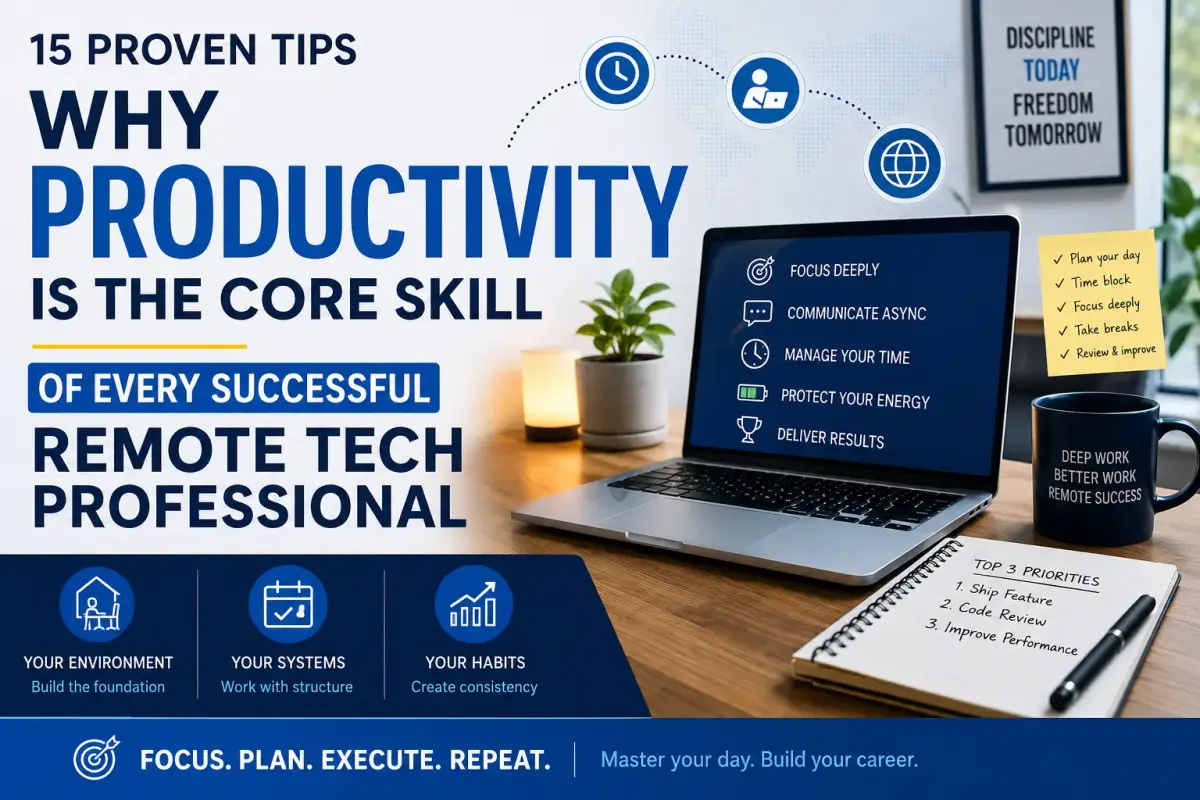
Remote work gives you freedom, but freedom without structure quietly destroys your focus, your output, and eventually your career. This guide covers 15 proven, practical tips to help you stay productive while working remotely, whether you are a developer, designer, cybersecurity professional, or any tech worker building a remote career. Each tip is backed by how real distributed teams operate — not generic advice recycled for any office worker. If you are looking for a remote tech job, or already working remotely and want to perform at your best, this is the guide you need.
Why Productivity Is the Core Skill of Every Successful Remote Tech Professional
Remote work has become the dominant hiring model in the global tech industry. Employers posting remote positions on platforms like FarCoder are not just evaluating your technical skills, they are evaluating your ability to deliver results without supervision, manage your own time across time zones, and communicate effectively in async environments.
Productivity is not a soft skill in remote work. It is a professional competency that determines whether you get hired, whether you get promoted, and whether you keep your remote position when companies review their distributed teams.
The 15 tips below are organised around the three layers that determine remote productivity: your environment, your systems, and your habits. Master all three and you become the kind of remote professional that employers compete to hire.
Your Environment: The Foundation of Remote Focus
1. Define a Dedicated Workspace
Productivity in remote work begins with a fixed, distraction-free space used only for work — not the sofa, not the dining table during family meals, not a coffee shop without noise management.
Your brain associates environments with behaviours. A dedicated workspace — even a corner of a room with a desk and a chair — trains your mind to enter focus mode the moment you sit down. When work and rest share the same physical space without separation, your brain never fully commits to either.
If you work from home, separate your work space from your living space as clearly as possible. If you use co-working spaces or cafés, be consistent — return to the same environment for deep work so focus becomes automatic rather than effortful.
What to prioritise:
A stable internet connection, a chair that supports your posture, a monitor or laptop stand at eye level, and good lighting — ideally natural light. These are not luxuries for remote tech professionals, they are productivity infrastructure.
2. Optimise Your Physical Environment Deliberately
Temperature, lighting, clutter, and sound levels all measurably affect cognitive performance, and most remote workers never audit these factors.
Natural light increases alertness and regulates your circadian rhythm, which directly affects your energy levels throughout the day. Working in a dim or artificially lit room for extended hours accelerates mental fatigue. If natural light is limited, a daylight lamp is a high-value, low-cost investment.
Temperature matters more than most people realise. Research from environmental psychology consistently shows that cognitive performance peaks in cooler environments. A room that is too warm will dull your focus faster than most distractions.
Tip: Add one element to your workspace that you genuinely enjoy looking at, a plant, a well-designed lamp, a small piece of art. Environments you like being in produce more hours of productive work.
3. Use the Right Sound Environment for Each Task Type
There is no single best audio environment for remote work, the right sound depends on the type of cognitive task you are doing.
Deep work: complex coding, system architecture, writing, problem solving, benefits from silence or low-stimulus sound like brown noise or ambient soundscapes. Repetitive tasks, data entry, routine testing, email processing, tolerate and sometimes benefit from music with moderate tempo.
The value of noise-cancelling headphones extends beyond sound management. In shared living environments, wearing headphones is a universal signal that you are in focus mode, a boundary-setting tool as much as an audio tool.
4. Build a Consistent Daily Routine
A fixed start time, end time, and recurring daily structure eliminate the decision fatigue that consumes energy in unstructured remote work days.
Without a routine, your workday expands to fill all available time, or collapses under decision paralysis about where to start. Remote work gives you the flexibility to design your day, but that flexibility only produces results when it operates inside a reliable structure.
A practical remote tech routine:
-
7:30–8:00 — Morning ritual: coffee, movement, no screens
-
8:00–8:30 — Plan the day: top 3 priorities, calendar review
-
8:30–11:30 — Deep work block: zero notifications, hardest tasks first
-
11:30–12:00 — Async communication batch: Slack, email, pull requests
-
12:00–13:00 — Lunch break, fully offline
-
13:00–15:00 — Meetings, collaboration, code reviews
-
15:00–17:00 — Second work block or async wrap-up
-
17:00 — Closing ritual: tomorrow's priority list, close all work apps
Adapt this to your time zone, your team's schedule, and your personal energy patterns. The structure matters more than the specific times.
5. Write Your Top 3 Daily Priorities: Before You Open Anything Else
Writing three specific priorities before starting your workday is the single highest-leverage habit in remote productivity because it converts intention into committed action.
In a remote environment, there is no manager walking past your desk, no team standup to anchor your morning, and no shared office energy to provide momentum. You create your own. Starting the day with three written priorities gives you an external commitment to your own focus before the noise of messages, notifications, and requests begins.
Three is the right number. More than three creates the illusion of productivity while diffusing actual output. The discipline of choosing three forces you to decide what genuinely matters, which is the skill that separates high-performing remote professionals from busy ones.
Review your priorities at midday and at day end. This two-minute reflection builds the self-awareness that makes you progressively better at estimating, planning, and protecting your focus over time.
6. Master Time-Blocking in Your Calendar
Time-blocking means scheduling specific tasks, not just meetings, in your calendar, so every hour of your workday has a declared purpose before it begins.
A calendar filled only with meetings is not a productive calendar. It is a reactive calendar. Remote professionals who operate from a time-blocked calendar treat deep work, admin tasks, async communication reviews, and breaks with the same scheduling respect as calls and standups.
Start with your non-negotiables: your deep work block, your async communication window, your lunch break, and your end-of-day. Build everything else around those anchors.
Protect your deep work block as aggressively as you protect important meetings. Decline or move meetings that invade it. Your best technical output happens in long, uninterrupted blocks, and those blocks are what employers are actually paying for when they hire remote tech talent.
7. Use Async Communication Tools Effectively
Async communication: messages and updates that do not require an immediate response, is the primary communication mode of high-functioning remote teams, and most remote workers use it poorly.
The difference between async communication that works and async communication that creates confusion is completeness. Every async message should contain enough context that the recipient can act on it without asking a follow-up question. State the situation, what you need, when you need it, and what happens next. Incomplete async messages generate synchronous interruptions that defeat the purpose entirely.
Distributed teams that communicate well asynchronously are more productive, make fewer errors in handoff, and maintain stronger collaboration across time zones than teams that default to meetings for everything.
8. Limit Notifications Ruthlessly
Notifications are the primary structural destroyer of deep work in remote environments, and every notification you allow is a choice to prioritise someone else's timing over your own output.
Each notification interruption costs more than the seconds it takes to read it. Cognitive research on task-switching shows that returning to deep focus after an interruption takes an average of over 20 minutes. A day with frequent notifications is a day without real deep work, regardless of how many hours you log.
Turn off badge notifications for all communication apps during focus blocks. Batch your Slack, email, and messaging reviews into two or three scheduled windows per day. Use calendar blocking to signal your unavailability during deep work hours.
Tip: Set a Slack status during deep work blocks that shows your focus hours and expected response time. Transparent async communication norms eliminate the social pressure to respond instantly.
9. Track Your Time to Understand Your Real Productivity Patterns
Most remote workers significantly misjudge how long tasks take and how their energy is actually distributed across the day, time tracking reveals the truth and allows you to optimise based on real data.
Without time tracking, you operate on assumptions. You assume a task takes an hour when it consistently takes three. You assume your afternoon is productive when the data shows your best output happens before noon. These assumptions cost you far more than the two minutes it takes to start and stop a timer.
Track for two weeks without changing your behaviour. Review the data at the end of week one and week two. You will identify patterns, your peak focus hours, your low-energy windows, the tasks that consistently expand beyond their expected duration, that you cannot see from inside your own day.
The Pomodoro Technique (25 minutes of focused work followed by a 5-minute break) is a practical entry point to structured time management that works particularly well for complex technical tasks like coding, debugging, and system design.
10. Find and Protect Your Peak Productivity Hours
Everyone has a 2–4 hour window each day when their cognitive performance is measurably higher than the rest, identifying yours and protecting it for deep work is one of the highest-leverage productivity decisions you can make.
This window is biological. Your chronotype, whether you are naturally oriented toward early morning or late-day peak performance, determines when complex problem solving, code architecture, and creative work will produce your best output. Forcing deep work outside this window produces slower, lower-quality results at higher cognitive cost.
Track your energy levels alongside your time for two weeks. Note when you feel sharp and when you feel dull. Build your schedule so that your hardest, most important work lands inside your peak window, and protect that window from meetings, admin, and communication by any means available to you.
This is a skill that experienced remote professionals use to consistently outperform their co-located peers who have less control over their schedules.
11. Take Real Breaks: Not Scroll Breaks
A break that involves a screen, social media, news, YouTube, does not restore cognitive focus; it continues depleting it using a different input channel.
Genuine restoration requires physical movement, sensory change, or social interaction away from work content. A ten-minute walk outside recharges focus more effectively than thirty minutes of passive scrolling. Stepping away from your desk to make a coffee, do light stretching, or have a brief conversation with another person resets your attention in ways that screen-based rest cannot.
Schedule breaks as deliberately as you schedule work. A 5–10 minute break after every 90 minutes of focused work maintains consistent performance across a full day better than powering through until exhaustion forces a longer recovery.
12. Set Boundaries That Protect Both Your Work and Your Personal Life
In remote work, the absence of physical separation between your office and your home means you must create that separation deliberately through time, communication, and habit, or both your productivity and your wellbeing will deteriorate.
Set a fixed end time for your workday and honour it consistently. Leaving work applications open on your personal device, answering messages during evenings, and allowing work to bleed into personal time does not increase your output, it gradually depletes the recovery that makes sustained high performance possible.
Communicate your boundaries clearly to your team. Share your working hours, your response time expectations for async messages, and your deep work windows. Transparent boundaries on distributed teams prevent the false urgency that drives reactive, boundary-eroding behaviour.
Remote work burnout, the progressive erosion of motivation, focus, and performance from insufficient recovery, is a real risk in always-on remote environments. It is also entirely preventable with consistent, explicit boundaries.
Tip: A simple closing ritual, writing tomorrow's priority list, closing all work apps, and physically leaving your workspace, signals to your brain that the workday is over. This cue matters more in remote work than in office environments precisely because there is no commute to provide it automatically.
13. Dress Intentionally for Your Workday
What you wear directly influences your psychological state, changing out of sleepwear into intentional clothing creates a mental transition into work mode that affects both your focus and your professional presence on video calls.
This is not about dressing formally. It is about dressing with intention. Staying in the clothes you slept in sends your brain a continuous signal of rest mode. A deliberate change, even casual clothes you have specifically chosen to wear, communicates to yourself that a different mode is active.
This becomes particularly important for video-based communication with employers, clients, and distributed teammates. How you present yourself on camera reflects your professionalism and your respect for the interaction, and experienced hiring managers notice both.
Tip: If your energy is low mid-morning, changing clothes is a fast, zero-cost reset that many remote workers underuse.
14. Connect With Other People Every Day
Social isolation is the most underestimated productivity risk in remote work, sustained isolation degrades motivation, communication quality, and cognitive performance in ways that compound over time.
Remote work removes the incidental social contact that office environments provide automatically, hallway conversations, shared lunches, collaborative problem solving in the same physical space. Without deliberate replacement, that isolation accumulates.
Make at least one meaningful human interaction part of every remote workday. Attend your team standup, initiate a Slack conversation with a colleague, do a virtual coworking session, or make a phone call. Regular social contact with your distributed team builds the trust and communication fluency that makes async collaboration work.
For remote tech professionals who are self-employed or between roles, online communities, developer forums, cybersecurity groups, open source project channels, provide both social connection and professional development simultaneously.
15. Reflect and Adjust Your System Weekly
Productivity is a system you tune over time, not a fixed state you achieve once, a weekly 15-minute review of what worked and what did not is the feedback loop that drives continuous improvement.
Without deliberate reflection, you repeat the same patterns indefinitely, the same time management mistakes, the same boundary erosions, the same underestimation of difficult tasks. A weekly review converts your work week into data that informs the next week's approach.
Ask three questions in your weekly review: What produced my best results this week? What wasted the most time or energy? What one change would have the highest impact next week? Answer concisely, adjust one element of your system, and execute the following week.
Remote professionals who review and iterate their productivity systems compound their improvement over time in ways that make them progressively more attractive to employers, and more satisfied in their work.
Tip: A simple "Work Wins" note in Notion, a weekly Notion template, or even a physical notebook entry takes 15 minutes and produces a measurable improvement in output over a full quarter.
How Remote Productivity Skills Make You More Hireable
Here is what most remote work productivity guides do not tell you: the habits above are not just performance habits, they are hiring signals.
Employers posting remote positions are evaluating whether candidates can manage themselves. When you demonstrate in an interview that you use time-blocking, that you do deep work in structured blocks, that you communicate asynchronously with full context, and that you reflect and iterate on your performance, you are answering the core question every remote employer asks before making an offer.
Remote tech professionals who can articulate their productivity systems stand out in hiring processes. They are the candidates who get offers at higher salary points, who progress to senior roles faster, and who retain their remote positions when companies reassess their distributed teams.
Remote productivity is a professional skill. Treat it as one.
Note: The American Psychological Association's research on cognitive performance and workplace environments, and Cal Newport's framework for deep work, are two widely referenced resources for professionals who want to go deeper on the science behind focused work.
For Employers: What Productive Remote Candidates Actually Look Like
If you are building a distributed tech team, productivity in remote environments is a core hiring criterion, not a secondary consideration.
The strongest remote candidates demonstrate structured work habits: they describe their deep work systems, their async communication practices, and their self-management approach in interviews. They do not just claim to be self-motivated, they explain the systems that make their self-management reliable.
When evaluating remote candidates, ask about their daily structure, how they handle time zone differences, how they communicate blockers asynchronously, and how they manage their focus in a home environment. The answers reveal whether a candidate has genuinely built the habits that remote work requires, or whether they are simply describing what they think you want to hear.
FarCoder connects remote employers with verified tech professionals across frontend, backend, full stack, design, mobile, DevOps, cybersecurity, and more, professionals who are actively building remote careers and understand what distributed work demands.
Post your remote tech role on FarCoder → Post your remote job role
For Job Seekers: Use Your Productivity as a Remote Career Advantage
Every tip in this guide is a skill that remote employers value and test for. If you are actively looking for a remote tech role, the way you work is as important as what you can build.
FarCoder lists verified remote positions across every tech specialisation — from entry-level roles for professionals beginning their remote careers, to senior and leadership positions for experienced tech workers ready to work with global employers.
Whether you are a frontend developer, backend engineer, cybersecurity analyst, or DevOps professional, your next remote opportunity is on FarCoder.
Browse remote tech jobs by category → Explore remote jobs
Frequently Asked Questions (FAQ)
How do I stay productive working remotely without a manager?+−
Build external structure to replace the accountability that managers provide in office environments. Written daily priorities, time-blocked calendars, and weekly self-reviews create accountability to your own commitments. The most productive remote professionals are more accountable to their systems than to supervisors.
What is the biggest productivity mistake remote workers make?+−
Conflating hours logged with output produced. Remote work rewards results, not presence. Optimising your environment, your deep work blocks, and your peak energy hours to produce high-quality output in fewer hours is more valuable than being online for ten hours without focus.
How do I avoid remote work burnout?+−
Set and honour a fixed end time. Take real breaks that involve no screens. Maintain daily social contact. Review your system weekly and adjust before small problems compound into burnout. Remote work burnout is almost always the result of missing boundaries — which means it is almost always preventable.
How do I stay productive across different time zones with a distributed team?+−
Async communication fluency is the primary skill. Communicate with full context so your teammates can act without waiting for your response. Establish clear overlap hours with your team for synchronous communication. Protect your deep work hours even when they fall outside your team's primary time zone.